Claude Code Review 2026
Anthropic's official CLI coding agent with deep codebase understanding and autonomous task execution.
Best for: Professional developers who want autonomous coding assistance with massive context
Key Takeaways
- Claude Code is Anthropic's terminal-native agentic coding CLI — not an IDE, but a programming partner that lives in your terminal
- The 1M token context window (Claude Opus 4.6) lets it understand entire codebases without chunking or summarization
- Agent Teams enables parallel execution — spawn multiple sub-agents that coordinate on separate tasks simultaneously
- MCP protocol connects Claude Code to Google Drive, Jira, Slack, GitHub, and hundreds of other tools
- Requires Pro plan ($20/mo) minimum — no Claude Code access on the free tier
What Is Claude Code?
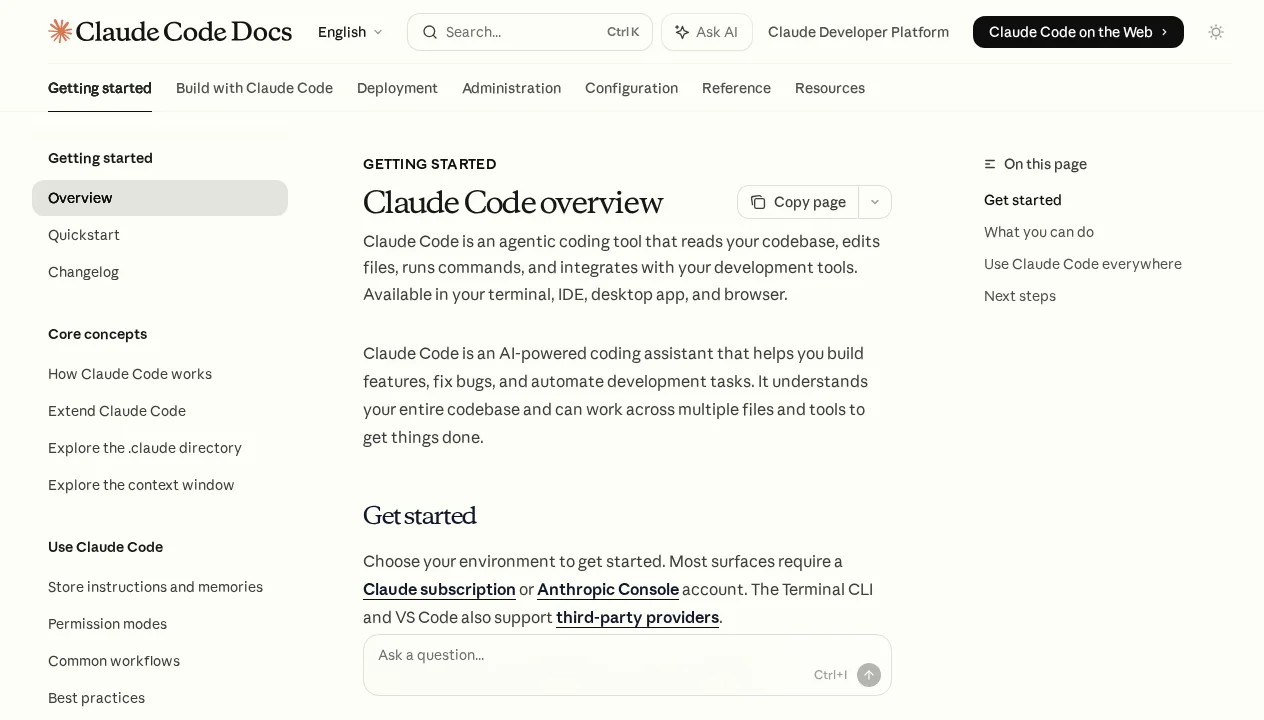
Claude Code is Anthropic's agentic coding tool — a command-line interface that turns Claude into an autonomous developer capable of reading your codebase, editing files, running commands, and shipping features end-to-end. Unlike Cursor or GitHub Copilot, Claude Code isn't an IDE or an editor extension. It lives in your terminal, integrates with your existing workflow, and treats your entire codebase as its context.
Released in early 2026 and powered by Claude Opus 4.6 — Anthropic's flagship model with a 1 million token context window — Claude Code represents a fundamentally different philosophy from GUI-first tools: the developer's environment shouldn't change to accommodate AI, the AI should work where developers already work. If you're new to AI coding agents as a category, our guide on what AI coding agents actually are is worth reading before diving into tool-specific comparisons.
In the months since its launch, Claude Code has been adopted by engineering teams at Intercom, Spotify, Notion, Shopify, Rakuten, and StubHub — companies that tend to have opinionated, mature developer toolchains and high standards for what earns a permanent place in their workflows.
Getting Started
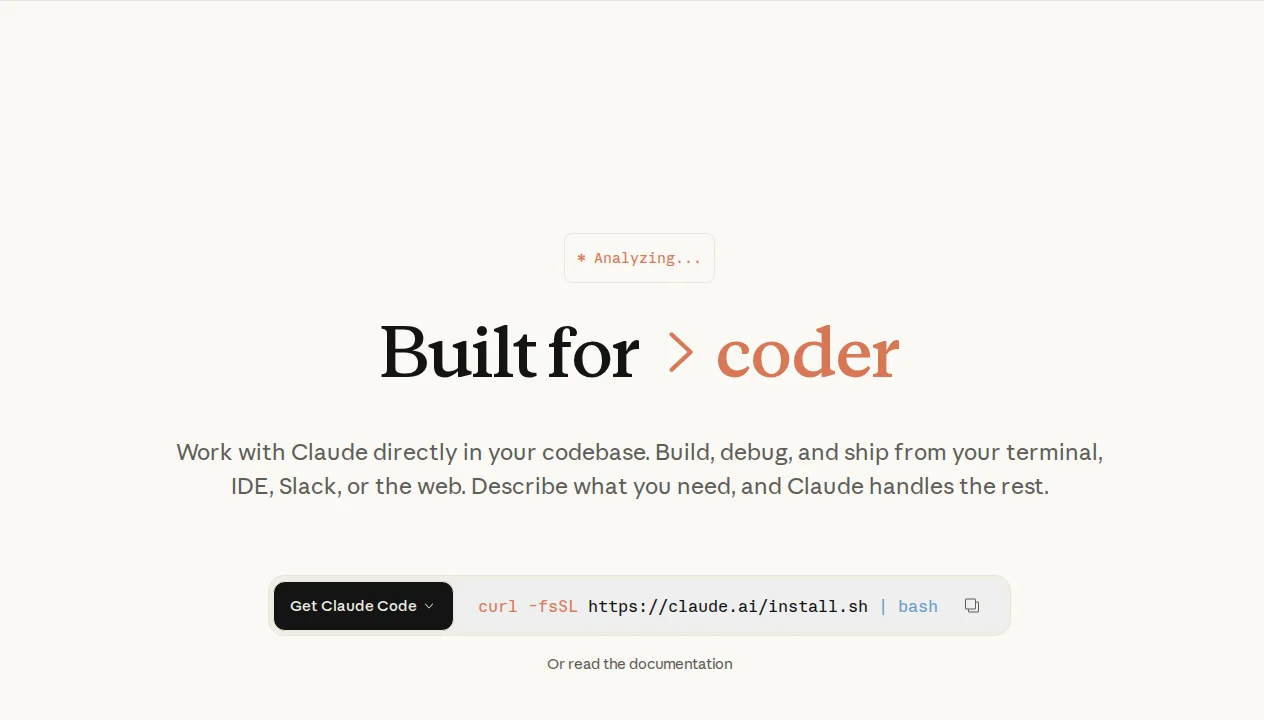
Installation is about as frictionless as it gets. One command and you're done:
curl -fsSL https://claude.ai/install.sh | bashAfter that, authenticate with your Anthropic account, open any project directory, and type claude to start an interactive session. Claude Code immediately reads your codebase, understands the project structure, and is ready to take instructions. No configuration files, no plugin management, no IDE restart required.
The first thing most developers do after installing is create a CLAUDE.md file in their project root. This is Claude Code's equivalent of a project README written specifically for the AI — it persists across every session and tells Claude things like your coding standards, which commands to run for tests, your deployment process, and any conventions the codebase follows. Claude Code reads this file at the start of every session, giving it persistent project-specific context without you repeating yourself.
CLAUDE.md when you first set up a project. Include your test commands, linting setup, architectural decisions, and any "don't do this" notes. Claude Code reads it at the start of every session — this single file eliminates 80% of the context-setting you'd otherwise repeat in every conversation.Key Features in Depth
Agentic Coding and Multi-File Editing
Claude Code's core capability is agentic execution: you describe what you want built or changed, and it plans and executes the work autonomously across as many files as needed. It reads source files, identifies affected areas, writes changes, runs your test suite to verify they work, and iterates if something fails — all without you directing each individual step.
In my hands-on testing, I asked Claude Code to "add rate limiting to all API routes, log violations to our analytics service, and add integration tests for the new behavior." Tasks that would have taken a senior engineer two to three hours were completed in under ten minutes. The output was production-quality: properly structured middleware, correct TypeScript types, comprehensive tests, and no breaking changes to existing behavior.
The 1M token context window is the technical foundation that makes this possible. Where other tools must select which files to include and risk missing relevant context, Claude Code can hold your entire codebase in memory simultaneously. On a 50,000-line codebase, it genuinely understands all of it at once — no summarization, no chunking, no "I couldn't see that file" failures.
Agent Teams: Parallel Execution
Agent Teams, introduced in February 2026, is one of the most significant capability upgrades in Claude Code's short history. It enables Claude Code to spawn multiple sub-agents that work in parallel on separate tasks, coordinating through a shared context. You can think of it as cloning yourself: one agent handles the frontend, another tackles the backend changes, a third writes tests, and a coordinator synthesizes the results.
A practical example: "Refactor the checkout flow — migrate to the new payment provider, update the UI components to match our new design system, write comprehensive E2E tests, and update the documentation." With Agent Teams, Claude Code breaks this into parallel workstreams. What might have taken a sequential agent 30 minutes completes in 8-10 minutes because the independent tasks run simultaneously.
This is the direction the industry is heading — our guide on AI coding agents covers why parallel execution matters — and Claude Code is among the first tools to make it accessible to individual developers rather than just enterprise platforms like Devin. See our Claude Code vs Devin comparison for a deeper look at how the two approaches differ.
MCP: Connect to Everything
MCP (Model Context Protocol) is an open standard developed by Anthropic for connecting AI systems to external tools and data sources. Through MCP, Claude Code can interact with Google Drive documents, Jira tickets, Slack messages, GitHub PRs, databases, internal APIs, and any custom data source you can build a connector for.
In practice, this means Claude Code can pull in a Jira ticket as context before starting a feature, check Slack for relevant discussion, read the relevant GitHub PR history, implement the feature, and then update the Jira ticket and post a summary to Slack — all in a single agentic flow. The breadth of available MCP servers has expanded rapidly since the protocol's adoption across the industry; virtually every major developer tool now has an official or community-built MCP connector.
For teams already using multiple tools, MCP transforms Claude Code from a coding assistant into a genuine workflow automation layer. It's the feature that most consistently surprises developers when they first encounter it — the connective tissue between AI and the broader toolchain has historically been messy custom scripting, and MCP replaces that with a clean, composable interface.
CLAUDE.md and Auto Memory
Persistent context is one of Claude Code's most practical advantages over tools that start every session fresh. It operates through two complementary mechanisms:
CLAUDE.md is a Markdown file at your project root (or any parent directory) that Claude Code reads at the start of every session. It functions as standing instructions for the AI: your preferred coding patterns, which test frameworks you use, architectural constraints, how to run the development server, any context about the codebase that would otherwise need repeating. It's version-controlled alongside your code, so the whole team benefits from updates.
Auto Memory (available on Max plan and above) extends this further: Claude Code learns from your sessions and automatically surfaces relevant context from previous conversations. Patterns it has observed, decisions you've made, preferences you've expressed — these accumulate without you needing to explicitly document them. The result, over weeks and months of use, is an AI that genuinely feels like it knows your project.
Hooks and Skills
Hooks are shell commands that run automatically before or after Claude Code's actions — analogous to Git hooks, but for AI operations. They let you enforce project-specific automation: run linting after every file edit, trigger a test suite after code generation, post a Slack notification when a task completes, or block certain operations on production branches.
Skills are custom slash commands that you define for your project. Instead of re-explaining a complex workflow every time, you create a skill — /review-pr, /deploy-staging, /run-migrations — and Claude Code executes the associated steps. Skills are project-local, version-controlled, and shareable across teams. Once a workflow is encoded as a skill, any team member can invoke it without knowing the underlying steps.
Where You Can Use Claude Code
Despite being CLI-native at its core, Claude Code has expanded to cover virtually every surface where developers work. The following table summarizes every available interface as of April 2026:
| Surface | How to Access | Best For |
|---|---|---|
| Terminal (CLI) | claude command after install |
Primary workflow, scripts, CI/CD pipelines |
| VS Code Extension | Marketplace: "Claude Code for VS Code" | Developers who prefer IDE-native experience |
| JetBrains Plugin | JetBrains Marketplace | IntelliJ, WebStorm, PyCharm, Rider users |
| Desktop App | claude.ai/download | GUI diff viewer, persistent session management |
| Web Browser | claude.ai (Pro+ accounts) | Quick tasks without terminal access |
| iOS App | App Store: "Claude" | Review sessions, respond to agent questions on mobile |
| Slack | Claude for Slack app | Team-facing workflows, notifications, approvals |
| GitHub Actions | claude-code-action in marketplace | Automated PR review, CI/CD tasks |
| Chrome Extension | Chrome Web Store | Debugging live web apps in the browser |
The Remote Control feature deserves special mention: you can start a Claude Code session on your laptop, step away, and pick it up from your phone or any browser without losing context or progress. For developers who work across devices or need to check on long-running agent tasks, this removes a genuine friction point that competing tools haven't addressed.
Pricing Breakdown
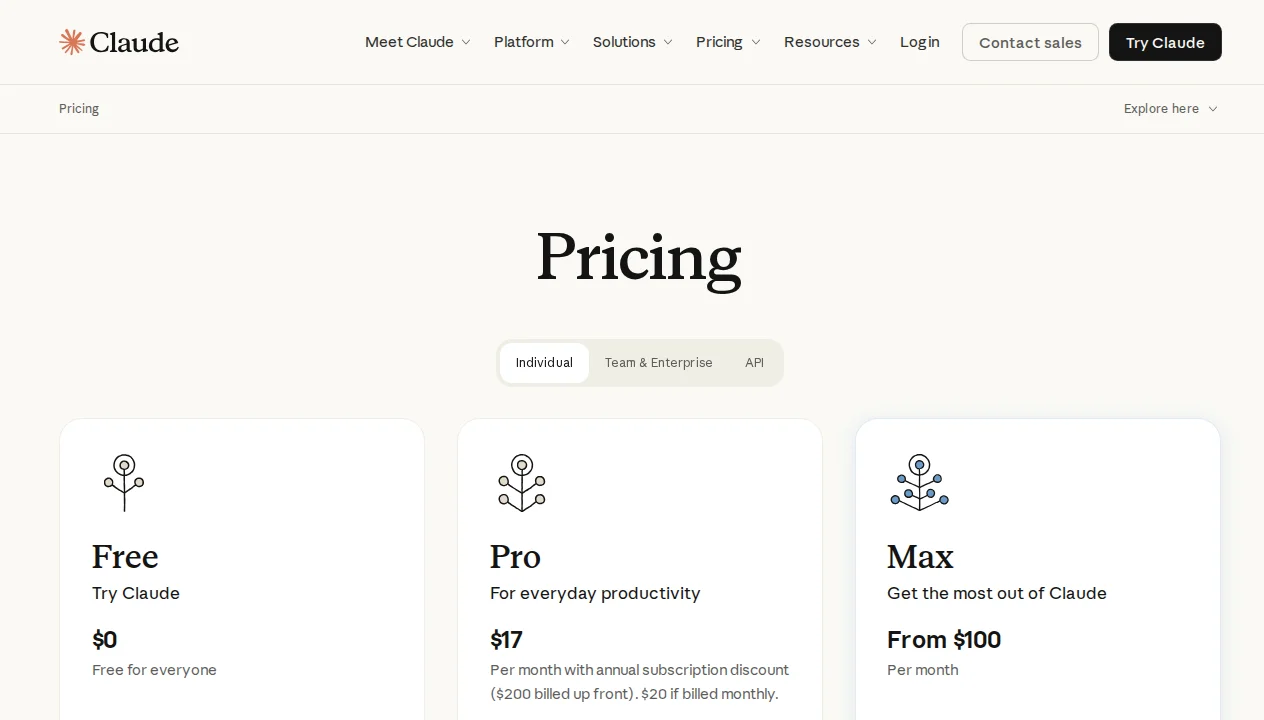
Claude Code is available as part of Claude's subscription plans, with access starting at the Pro tier. There is no free tier for Claude Code — the free plan only includes basic Claude chat. Here's the full breakdown:
| Plan | Price | Claude Code? | Key Features | Best For |
|---|---|---|---|---|
| Free | $0/mo | No | Basic Claude chat only | Trying Claude chat |
| Pro | $20/mo | Yes | Terminal, web, desktop, Sonnet 4.6 + Opus 4.6 | Individual developers |
| Max (5x) | $100/mo | Yes | 5x more usage vs Pro, persistent memory, early access | Heavy daily users |
| Max (20x) | $200/mo | Yes | 20x more usage vs Pro, priority access, all features | Power users, researchers |
| Team | $25–30/user/mo | Varies | Standard seats; premium seats ($150/user/mo) include Claude Code | Engineering teams |
| Enterprise | Custom | Yes | SSO, audit logs, SCIM, custom data residency, priority support | Large organizations |
For API access (pay-as-you-go, outside of subscriptions), the model pricing as of April 2026 is:
| Model | Input (per M tokens) | Output (per M tokens) | Context Window |
|---|---|---|---|
| Claude Haiku 4.5 | $1.00 | $5.00 | 200K tokens |
| Claude Sonnet 4.6 | $3.00 | $15.00 | 200K tokens |
| Claude Opus 4.6 | $5.00 | $25.00 | 1M tokens |
One important pricing note for teams: Claude Code access on the Team plan requires premium seats at $150/user/month — the standard $25-30/user/month seats do not include Claude Code. For organizations evaluating costs, this is a meaningful distinction. See Anthropic's official pricing page for the most current details.
Claude Code vs The Competition
Claude Code occupies a distinct position in the AI coding tool landscape because it solves a different problem from most of its competitors. Understanding the difference matters for making the right choice.
Claude Code vs GitHub Copilot: Copilot is a VS Code extension with autocomplete and a chat panel. Claude Code is a terminal-native autonomous agent that can execute entire workflows. They're not really competing for the same use case — if you want smarter autocomplete while you type, Copilot at $10/month is purpose-built for that. If you want to delegate tasks and have them completed end-to-end, Claude Code is in a different category. Our full GitHub Copilot vs Claude Code comparison covers the detailed tradeoffs.
Claude Code vs Cursor: Cursor is the closest comparable in terms of agentic capability, but it's fundamentally GUI-first: a VS Code fork with AI deeply integrated into the editor. Claude Code is terminal-first, fitting into existing environments rather than replacing them. Cursor has a richer diff viewer and more visual tooling; Claude Code has a larger context window (1M vs Cursor's effective limits), better cross-surface availability, and a more mature multi-agent implementation. The choice depends on whether you want to adopt a new editor or augment your existing one. Read our broader comparison guide for more context on where each tool fits.
Claude Code vs Devin: Devin is fully autonomous — you describe a task and Devin handles everything including its own environment. Claude Code is collaborative — it works with you in your environment. For teams that want to keep control while gaining AI leverage, Claude Code's model is preferable. For teams willing to hand off entire features to an AI, Devin competes on different terms. Our Devin vs Claude Code comparison examines this tradeoff in full.
If you're still working through which tool is right for your workflow, our guide on how to choose an AI coding agent walks through a practical decision framework, and our free vs paid analysis helps with the budget question specifically.
Who Should Use Claude Code?
Terminal-native developers: If you live in the terminal — tmux, vim, shell scripts, SSH into servers — Claude Code integrates into your workflow with zero friction. No GUI required, no new application to learn. This is its native habitat and where it shines brightest.
Backend and full-stack engineers: The 1M context window makes Claude Code uniquely powerful for large, complex backend codebases where understanding the full call chain matters. API refactors, database migrations, service integrations — tasks that require holding a lot of context simultaneously — are where it consistently outperforms narrower tools.
Teams with established toolchains: Companies like Intercom and Shopify adopted Claude Code precisely because it doesn't require replacing existing tooling. It augments rather than replaces, which matters enormously for organizations with established developer environments.
Developers automating workflows: The combination of Hooks, Skills, MCP, and scheduled tasks makes Claude Code a serious workflow automation platform. If you find yourself repeatedly performing multi-step tasks that involve code changes, Claude Code can automate them in ways that simple scripts cannot.
Teams already using Claude for other tasks: If your organization already uses Claude for writing, analysis, or other work, a Pro subscription gives you Claude Code access without additional tooling to evaluate, procure, or manage. The marginal cost of adding Claude Code to an existing Claude subscription is zero.
What We Don't Like
Claude Code is excellent, but fairness requires naming its real weaknesses:
No free tier for Claude Code: The free plan gives you basic Claude chat and nothing more. Every other major AI coding tool — Cursor, Windsurf, GitHub Copilot — offers some free tier access. Claude Code requiring a $20/month Pro minimum creates a meaningful barrier for students, hobbyists, and developers in markets where that price is significant. For a comparison of what you get without paying, see our guide on free vs paid AI coding agents.
Steeper learning curve than GUI tools: Terminal-native is a feature and a constraint simultaneously. Developers accustomed to visual diff viewers, click-to-navigate interfaces, and GUI-based project management will find Claude Code's CLI interface a meaningful adjustment. Cursor and Windsurf are more immediately approachable for developers coming from traditional IDE environments.
No built-in GUI diff viewer: When Claude Code makes file changes, reviewing them requires either the Desktop app, your IDE's built-in diff tooling, or git diff in the terminal. This is manageable but adds friction compared to Cursor's inline diff visualization. The Desktop app improves this significantly, but it's an additional application to manage.
Max plan pricing escalates quickly: Pro at $20/month is competitive, but heavy users who need more capacity face a significant jump to $100/month (5x) or $200/month (20x). For individuals, the Max tiers represent a meaningful expense. Teams using premium seats at $150/user/month face even steeper costs at scale.
Newer product, smaller community: Cursor and GitHub Copilot have years of community tutorials, Stack Overflow answers, and third-party integrations ahead of Claude Code. When something doesn't work as expected, the community resources to debug it are thinner. This gap is narrowing quickly, but it's real today.
Agent Teams is still maturing: The February 2026 launch of Agent Teams is impressive in scope, but coordination between agents occasionally produces redundant work or requires manual reconciliation. For well-structured tasks with clear sub-task boundaries, it's reliable. For ambiguous or tightly coupled tasks, sequential execution is still the safer default.
Our Verdict
After extensive hands-on testing across diverse projects, Claude Code earns a 4.7/5 from us. It is the most capable agentic coding tool available today for developers who work in the terminal and want genuine autonomous execution — not just smarter autocomplete.
The 1M token context window is a genuine competitive moat: no other broadly available coding tool can hold your entire codebase in memory simultaneously, and the practical impact on output quality for large, complex projects is substantial. Agent Teams is genuinely new territory — parallel autonomous execution coordinated by a shared model — and despite being relatively new, it already works reliably for well-scoped tasks.
CLAUDE.md and Auto Memory solve one of AI tooling's most persistent friction points: context that disappears between sessions. A well-maintained CLAUDE.md file, combined with Auto Memory on Max plans, produces an AI collaborator that genuinely accumulates knowledge about your project over time.
The deductions come from the no-free-tier barrier, the GUI tooling gap compared to Cursor, the Max plan pricing, and the smaller community. These are real concerns — especially for individual developers on a budget or teams standardizing on a single tool. But for their intended audience — professional developers working on non-trivial codebases who want AI that works where they already work — Claude Code is the most powerful option available today.
The bottom line: If you're a terminal-native developer working on complex codebases and want to delegate entire tasks rather than just get autocomplete suggestions, Claude Code at $20/month is one of the highest-ROI tools in the developer toolkit today. If you prefer a visual IDE experience, Cursor or Windsurf will serve you better. And if you're evaluating all options, our getting started with AI pair programming guide provides the full decision framework.
Pros & Cons
Pros
- Exceptional context window (200k tokens) for understanding large codebases
- Autonomous task execution with specialized subagents
- Native terminal integration with full system access
- Best-in-class code generation quality from Claude Opus 4.6
- Supports complex multi-file refactoring
Cons
- Requires Max subscription ($20/mo)
- CLI-only interface may have learning curve
- No real-time collaboration features
- Limited to Anthropic's models only
Our Ratings
How Claude Code Compares
Not sure Claude Code is right for you? See how it stacks up against alternatives.
Verdict
Claude Code earns a strong 4.8/5 in our testing. It is our Editor's Choice in the Coding Agents category — a well-rounded tool that delivers real value for the right team.
Starting at $20/month, it is priced competitively for what it offers. If you are evaluating AI coding agents, Claude Code deserves serious consideration.
Practical Implementations
Claude Code becomes more interesting when you look at real operator workflows, not just developer demos. This WordPress implementation guide shows how Claude-connected tooling can support site management, content work, and reporting in production.
Frequently Asked Questions
Is Claude Code free?
Claude Code vs Cursor — which is better?
What is MCP?
Can I use Claude Code in VS Code?
What models does Claude Code use?
Sources & References
- Claude Code Product Page· Official Anthropic product page for Claude Code
- Claude Code Documentation· Official documentation covering all features and setup
- Claude Pricing· Current subscription and API pricing for all Claude plans
- SSD Nodes — Claude Code Pricing 2026· Independent breakdown of every Claude Code plan with cost analysis
- Claude Code Extensions Guide· In-depth guide to Skills, MCP, Hooks, Subagents, and Agent Teams

Written by Marvin Smit
Marvin is a developer and the founder of ZeroToAIAgents. He tests AI coding agents daily across real-world projects and shares honest, hands-on reviews to help developers find the right tools.
Learn more about our testing methodology →Related AI Agents
Cursor
AI-first code editor built on VS Code with intelligent autocomplete and chat-based editing.
Read Review → →GitHub Copilot
GitHub's AI pair programmer with real-time code suggestions and chat assistance.
Read Review → →Windsurf (Codeium)
AI-powered IDE with 'Cascade' AI agent that can understand and edit entire codebases.
Read Review → →