GitHub Copilot Review 2026
GitHub's AI pair programmer with real-time code suggestions and chat assistance.
Best for: Budget-conscious developers already using GitHub
Key Takeaways
- GitHub Copilot is the most widely adopted AI coding tool — millions of developers, tens of thousands of businesses
- Multi-model support: choose GPT-5, Claude Opus 4.6, Gemini 2.5 Pro, o4-mini, and more per conversation
- Pro plan at $10/month is the best-value paid AI coding tier — half the price of Cursor
- Broadest IDE support of any AI tool: VS Code, JetBrains, Neovim, Visual Studio, GitHub.com, CLI, and more
- Up to 55% productivity gains backed by a peer-reviewed MIT/Microsoft study of 4,800 developers
What Is GitHub Copilot?
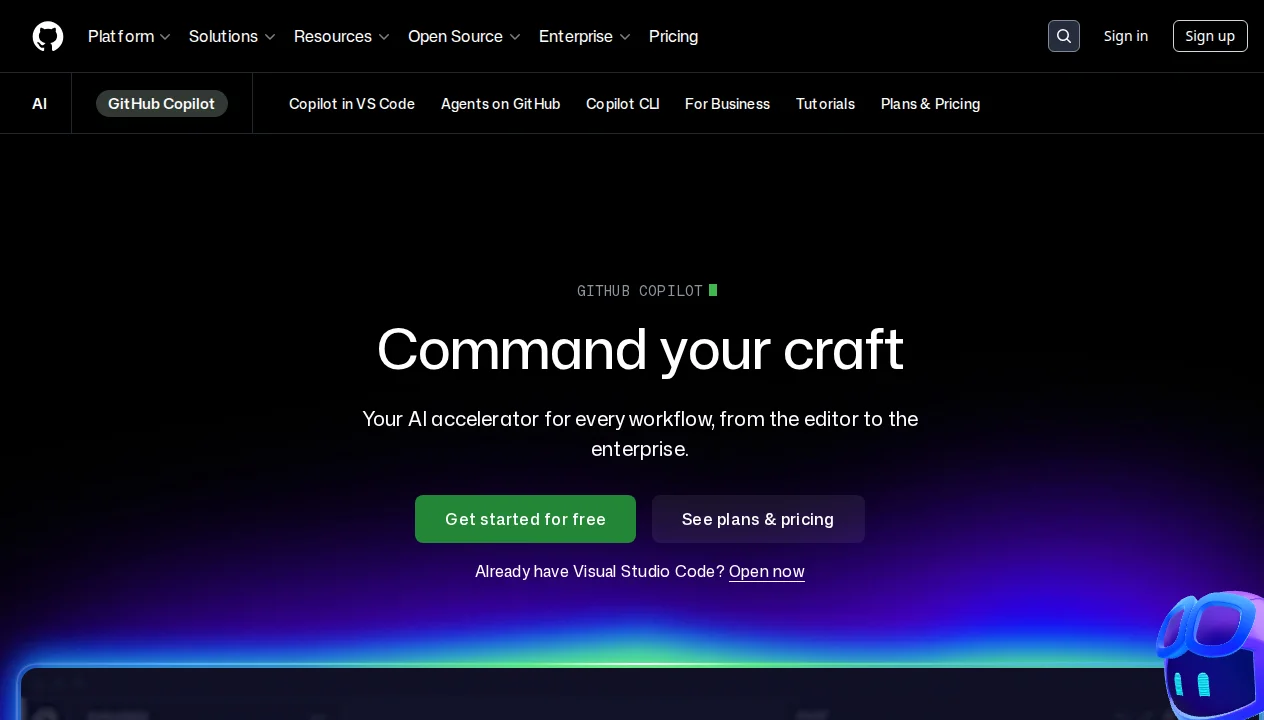
GitHub Copilot is the original AI pair programmer — the tool that started the AI coding revolution in 2021 when it launched as the first AI assistant to be deeply integrated into a developer's IDE. What began as a sophisticated autocomplete engine trained on billions of lines of public code has since evolved into a full agentic platform: multi-model, multi-IDE, capable of autonomous coding, PR review, and natural language app creation. In April 2026, GitHub positions it with a new tagline: "Command your craft — Your AI accelerator for every workflow."
When people ask which AI coding tool has the most real-world adoption, Copilot wins by a wide margin. GitHub reports millions of individual users and tens of thousands of business customers — numbers no other tool in this category comes close to. That adoption creates a virtuous cycle: the largest integrations ecosystem, the most documented use cases, and the fastest pace of new feature development. If you're new to AI coding agents as a category, our guide on what AI coding agents actually are provides helpful context before you compare specific tools.
What distinguishes Copilot from competitors like Cursor and Claude Code is its approach: rather than building a new IDE or a standalone CLI, GitHub built Copilot as a deeply integrated layer across the entire GitHub ecosystem — from your IDE to your pull requests to your mobile app to your terminal. If you're already living in VS Code or GitHub, Copilot is the path of least resistance to AI-assisted development.
Getting Started
Setup is straightforward. You install the Copilot extension in your IDE of choice — VS Code, JetBrains, or Neovim are the most common — and authenticate with your GitHub account. The free tier activates automatically with no credit card required. Within minutes of installation, you're receiving inline code completions as you type and can open the chat panel to ask questions about your code.
The free tier is genuinely useful: 2,000 code completions per month and 50 chat messages. For developers who want to evaluate whether AI coding tools are worth it before paying, this is the best free trial in the market — it gives you enough usage to form a real opinion over several weeks of normal coding.
instructions.md file in your project root to give Copilot persistent custom instructions — coding style preferences, naming conventions, frameworks in use. Copilot picks this up automatically and applies it to every response in that project without you repeating yourself.Key Features in Depth
Inline Completions — The Foundation
Inline code completions are where Copilot started and remain its strongest feature. As you type, Copilot generates multi-line suggestions based on the current file context, your comments, function signatures, and patterns in the surrounding code. Acceptance rates in real-world use are consistently reported above 30%, which is exceptional for any suggestion system. For repetitive patterns — TypeScript interface definitions, React hooks, API route handlers, test scaffolding — the acceptance rate in my experience climbs above 60%.
The completions have improved substantially since the early 2021 version. They're now context-aware across the open file, consider symbols from other open tabs, and understand imports. For the bread-and-butter tasks of daily coding, they remain the fastest productivity lever in the Copilot toolkit.
Chat and Agent Mode
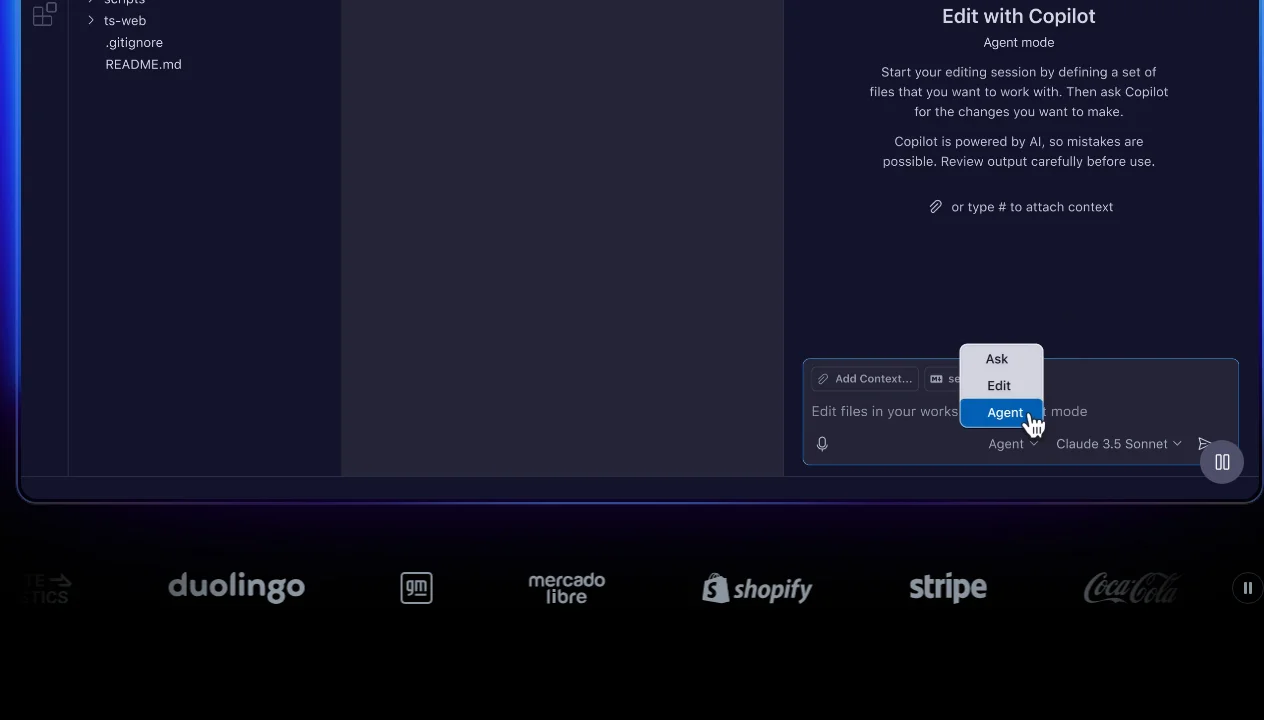
The Copilot Chat panel, available in all major IDEs, turns the completion engine into a conversational coding assistant. You can ask questions about selected code, request refactors, explain bugs, generate tests, or ask architectural questions about your project. In agent mode, Copilot Chat becomes more autonomous — it can read multiple files, suggest multi-step solutions, and execute commands in the terminal.
Agent mode in Copilot is capable for single-session, well-scoped tasks. In my testing, it handled tasks like "refactor this function to be async and update all call sites in this file" reliably. It becomes less reliable on tasks spanning 10+ files or requiring deep understanding of architectural dependencies — this is where Cursor's Composer 2 or Claude Code currently have an edge.
#codebase to your prompt to give Copilot access to your full project index rather than just the current file. This dramatically improves the quality of architectural questions and multi-file refactoring suggestions.Copilot Workspace — Autonomous PR Creation
Copilot Workspace, available on Pro+ and Enterprise plans, is GitHub's most ambitious feature: a fully agentic system that can take a GitHub issue or a natural language description of a task and autonomously plan the implementation, write the code, run tests, and open a pull request. You describe what you want built, and Copilot Workspace plans the approach, identifies the files to modify, makes the changes, and presents a ready-to-review PR.
In GitHub's benchmarks, Copilot Workspace resolved 55% of real GitHub issues end-to-end — a number that compares favorably with competing agent systems and demonstrates meaningful capability for greenfield feature development and well-specified bug fixes. The workflow stays entirely inside GitHub, which is a significant advantage for teams with established PR-based workflows.
Code Review Agent
On Business and Enterprise plans, Copilot's code review agent automatically reviews pull requests and leaves inline comments. When a PR is opened, Copilot analyzes the diff in the context of the broader codebase, flags potential bugs, logic errors, missing edge case handling, and security issues. The comments appear directly in the GitHub PR interface alongside human reviewer comments.
In my testing on an active project, the review agent caught real issues — an unhandled promise rejection and a missing null check — that had been missed in human review. The false positive rate was low enough to not be disruptive. For teams that struggle to get timely code reviews, this feature alone can justify the Business plan upgrade.
Multi-Model Selection
As of April 2026, GitHub Copilot supports more AI models than any competing tool. You can choose which model powers your session on a per-conversation basis, which means you can match the model to the task without leaving your IDE. Available models include:
| Model | Provider | Best For | Speed |
|---|---|---|---|
| GPT-5 | OpenAI | General coding, broad task completion | Fast |
| GPT-4.1 | OpenAI | Code editing, instruction following | Very Fast |
| Claude Opus 4.6 | Anthropic | Complex reasoning, long context, architecture | Medium |
| Claude Sonnet 4 | Anthropic | Balanced capability and speed | Fast |
| Gemini 2.5 Pro | Multimodal tasks, large context | Fast | |
| Gemini 2.0 Flash | Speed-critical tasks, quick completions | Very Fast | |
| o3-mini | OpenAI | Reasoning tasks, math, algorithms | Medium |
| o4-mini | OpenAI | Fast reasoning, code verification | Fast |
In practice, I use Claude Opus 4.6 for complex debugging sessions where I need the model to reason through a long call stack, Gemini 2.0 Flash for quick one-off completions where I want near-instant responses, and GPT-5 as the default for everyday coding tasks. The ability to switch without changing tools or paying for multiple subscriptions is a genuine competitive advantage.
Supported Editors and Platforms
No AI coding tool comes close to Copilot's breadth of platform support. This is a meaningful differentiator for teams using diverse tooling or developers who switch between editors:
| Platform | Plans | Features Available |
|---|---|---|
| VS Code | All (incl. Free) | Completions, Chat, Agent Mode, MCP |
| JetBrains IDEs (IntelliJ, PyCharm, WebStorm, etc.) | Pro, Business, Enterprise | Completions, Chat, Agent Mode |
| Visual Studio | Pro, Business, Enterprise | Completions, Chat |
| Neovim / Vim | Pro, Business, Enterprise | Completions |
| Azure Data Studio | Pro, Business, Enterprise | Completions, Chat |
| GitHub.com | All (incl. Free) | Chat, Code Review, Workspace, Spark |
| GitHub Mobile | Pro, Business, Enterprise | Chat, Code Review |
| GitHub CLI | All (incl. Free) | Chat, Explain, PR assistance |
| Windows Terminal | Pro, Business, Enterprise | Command suggestions, explanations |
JetBrains support is particularly valuable for Java, Kotlin, Python, and Scala developers who have no equivalent alternative in the Cursor ecosystem — Cursor is VS Code-only. This makes Copilot the de facto choice for enterprise backend teams running IntelliJ-based IDEs.
Pricing Breakdown
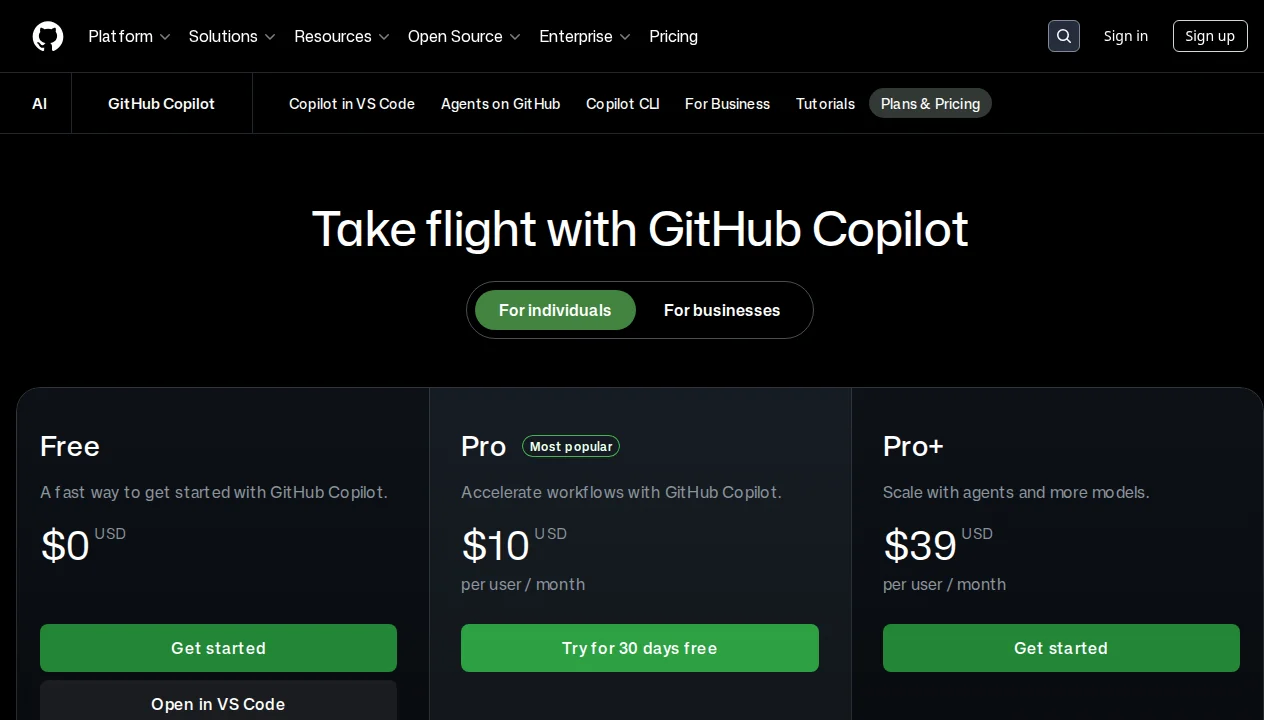
GitHub Copilot has one of the most thoughtfully structured pricing tiers in the market, with a genuinely useful free plan and a highly competitive Pro entry point:
| Plan | Price | Premium Requests | Key Features | Best For |
|---|---|---|---|---|
| Free | $0 | — | 2,000 completions + 50 chat/month, VS Code + GitHub.com + CLI only | Evaluating Copilot before paying |
| Pro | $10/month | 300/month | All IDEs, multi-model, cloud agent, code review, MCP extensions | Individual developers |
| Pro+ | ~$39/month | 1,500/month | Everything in Pro + Copilot Workspace + GitHub Spark access | Power users, agentic workflows |
| Business | $19/user/month | 300/month | IP indemnity, user management, usage metrics, policy controls | Teams needing governance |
| Enterprise | $39/user/month | 1,000/month | All models + Spark + enterprise controls, audit logs, fine-tuning | Large organizations, regulated industries |
The Pro plan at $10/month is the best-value paid AI coding tier available today. You get multi-model access (including Claude Opus 4.6 and Gemini 2.5 Pro), all IDEs, agent mode, MCP extensions, and code review — this is a compelling package at half the price of Cursor Pro ($20/month) or Claude Code's required Anthropic subscription.
One important note on premium requests: "premium requests" in Copilot terminology refers to requests that use advanced models or agent mode. Standard completions and basic chat do not count against this limit. In practice, most Pro users find 300 premium requests per month sufficient for a full working week of development.
GitHub Copilot vs The Competition
Copilot vs Cursor: This is the most common comparison. Copilot wins on price ($10/mo vs $20/mo), IDE breadth (JetBrains, Neovim vs VS Code only), and native GitHub integration. Cursor wins on autonomous multi-file editing — Composer 2 is meaningfully better than Copilot's agent mode for complex, cross-file refactoring tasks spanning 10+ files. For developers who primarily write new code and want occasional AI assistance, Copilot Pro is the better value. For developers who want an AI that can autonomously execute complex architectural changes, Cursor has the edge. See our full Cursor vs GitHub Copilot comparison for the complete breakdown.
Copilot vs Claude Code: Claude Code is Anthropic's terminal-native agent — a fundamentally different form factor targeting developers who want AI in their terminal rather than their IDE. Claude Code's strength is its 1M token context window (via Claude Opus 4.6), which allows it to reason over entire large codebases without losing context. Copilot wins on accessibility and IDE integration; Claude Code wins on depth of reasoning for very large projects. Our GitHub Copilot vs Claude Code comparison covers this in detail.
Copilot vs Windsurf: Windsurf (formerly Codeium) is an AI-first editor like Cursor, priced similarly to Copilot. Windsurf's Cascade agent is fast and capable for autonomous multi-file tasks. Copilot wins on the GitHub ecosystem integration and model choice breadth. For a three-way perspective, see our Cursor vs Windsurf vs GitHub Copilot comparison.
If you're still deciding which tool fits your workflow, our guide on how to choose an AI coding agent provides a practical decision framework based on team size, codebase complexity, and budget. For budget-conscious developers, our free vs paid AI coding agents guide analyzes whether the $10/month jump from free is worth it for different use cases.
Who Should Use GitHub Copilot?
Students and early-career developers: The free plan is an excellent starting point, and students get Pro for free via the GitHub Student Developer Pack. The inline completion model accelerates learning by showing you patterns and idiomatic code as you type — it's like having a patient senior engineer watching over your shoulder. The VS Code integration means zero friction to start.
Individual developers on a budget: At $10/month, Copilot Pro is the most accessible professional AI coding tool. You get multi-model access, agent mode, code review, and all-IDE support. If you're working solo and want the broadest set of AI capabilities at the lowest price, this is the plan to start with.
JetBrains users: If you use IntelliJ IDEA, PyCharm, WebStorm, or any other JetBrains IDE, GitHub Copilot is effectively your only major AI coding option — Cursor, Windsurf, and Claude Code all require VS Code or a terminal. Copilot's JetBrains plugin has matured significantly and provides feature parity with the VS Code version on completions and chat.
GitHub-first engineering teams: For teams whose entire workflow centers on GitHub — issues, PRs, actions, project boards — Copilot's native integration is unmatched. The code review agent on PRs, Copilot Workspace for issue-to-PR automation, and the ability to use Copilot Chat directly on GitHub.com make it the most cohesive AI layer available in that ecosystem.
Enterprise engineering organizations: The Business and Enterprise plans offer IP indemnity (GitHub legally covers you if Copilot-generated code causes copyright issues), audit logs, SCIM provisioning, usage analytics, and policy controls — features that matter for compliance, security, and IT governance. The Enterprise tier at $39/user/month is the most feature-complete enterprise AI coding solution in the market.
What We Don't Like
Copilot is the market leader, but that status comes with honest tradeoffs worth naming:
Plugin-only approach limits the AI's reach: Unlike Cursor or Windsurf — which are purpose-built AI-first editors — Copilot is still fundamentally a plugin layered on top of existing IDEs. This means the AI's ability to manage the full editor experience, run background agents, or deeply integrate with the file system is constrained by what IDE extension APIs permit. It's a meaningful architectural limitation compared to editors purpose-built for AI.
Agent mode trails Cursor Composer 2 on complex tasks: For tasks requiring coordinated changes across 10+ files — large refactors, architectural migrations, full feature implementations — Cursor's Composer 2 consistently produces higher-quality, more reliable results in my testing. Copilot's agent mode handles simpler tasks well but struggles with complexity at the same level. If autonomous multi-file editing is your primary use case, Cursor is the better tool.
Business plan pricing is steep for small teams: At $19/user/month, the Business plan is more expensive than Copilot Pro ($10/mo individual) and significantly more expensive than Cursor Pro ($20/mo individual). For teams of 5-10 developers, the jump to Business for governance features adds up quickly. Many small teams stay on individual Pro plans and accept the lack of centralized management.
Privacy defaults on Free/Pro/Pro+ are a concern: Code from Free, Pro, and Pro+ users may be used to train future AI models by default. You can opt out in GitHub settings, but the opt-out rather than opt-in default is worth knowing about, especially for developers working on proprietary code. Business and Enterprise plans are explicitly excluded from training data — this is one of the reasons those tiers exist.
Support quality below expectations: Despite GitHub's scale, support responsiveness has been a consistent complaint. Copilot rates 2.3/5 on Trustpilot, with a significant portion of complaints related to billing issues, failed plan upgrades, and slow support ticket resolution. For a Microsoft product at enterprise pricing, this is a gap that hasn't been fully closed.
Enterprise tier most expensive in the market: At $39/user/month, the Enterprise plan is the most expensive per-seat AI coding subscription available. Cursor Teams is $40/user/month but includes more agentic capability. For very large organizations, the cost at scale is substantial and warrants careful evaluation of whether all included features are actually being used.
Our Verdict
After extensive testing across individual and team workflows, GitHub Copilot earns a solid 4.6/5 from us. It remains the most broadly accessible, best-valued, and most deeply integrated AI coding tool available today — and for the majority of developers, those advantages outweigh the areas where specialized competitors pull ahead.
The Pro plan at $10/month is simply the best deal in AI-assisted development right now. For that price, you get multi-model access to eight frontier AI models, agent mode, code review, MCP extensions, and support for every major IDE. The peer-reviewed evidence of 55% productivity gains and 75% higher job satisfaction isn't marketing copy — these numbers come from a rigorous study of 4,800 developers, and in my own daily use, the productivity impact is real and consistent.
Where Copilot falls short — autonomous multi-file editing at scale, advanced agentic task coordination — those gaps are real and matter for specific workflows. If your primary need is an AI that can autonomously plan, build, and ship a feature across dozens of files with minimal oversight, Cursor or Claude Code currently deliver a better experience for that specific use case.
The bottom line: GitHub Copilot is the right starting point for almost every developer considering AI coding assistance. The free tier lets you evaluate it with no commitment. The Pro tier at $10/month is the most rational first paid AI coding subscription. And for GitHub-first teams and JetBrains users, there is no serious alternative at any price point. Start here — and only look elsewhere if you hit specific limitations that your use case genuinely requires solving.
Pros & Cons
Pros
- Most affordable premium AI coding tool ($10/mo)
- Works across multiple IDEs and editors
- Deep integration with GitHub ecosystem
- Free for students and open-source maintainers
- Strong community and documentation
Cons
- Suggestions can be hit-or-miss quality
- Limited codebase-wide understanding
- Chat feature less powerful than competitors
- Requires active GitHub account
Our Ratings
How GitHub Copilot Compares
Not sure GitHub Copilot is right for you? See how it stacks up against alternatives.
Verdict
GitHub Copilot earns a strong 4.6/5 in our testing. It is a solid choice for budget-conscious developers already using github, offering a good balance of features and accessibility.
With a free tier available, there is very little risk in trying it out. If you are evaluating AI coding agents, GitHub Copilot deserves serious consideration.
Frequently Asked Questions
Is GitHub Copilot free?
GitHub Copilot vs Cursor — which is better?
What AI models does GitHub Copilot use?
Does GitHub Copilot use my code for AI training?
Can I use GitHub Copilot in JetBrains IDEs?
Sources & References
- GitHub Copilot Features· Official GitHub Copilot product page and feature overview
- GitHub Copilot Plans & Pricing· Current pricing tiers and feature comparison by plan
- GitHub Copilot Documentation· Official docs covering plans, setup, and getting started
- NxCode — GitHub Copilot Review 2026· Independent review: is GitHub Copilot worth $10/month in 2026?
- NxCode — GitHub Copilot Complete Guide 2026· Comprehensive guide to features, pricing, and agent capabilities

Written by Marvin Smit
Marvin is a developer and the founder of ZeroToAIAgents. He tests AI coding agents daily across real-world projects and shares honest, hands-on reviews to help developers find the right tools.
Learn more about our testing methodology →Related AI Agents
Claude Code
Anthropic's official CLI coding agent with deep codebase understanding and autonomous task execution.
Read Review → →Cursor
AI-first code editor built on VS Code with intelligent autocomplete and chat-based editing.
Read Review → →Windsurf (Codeium)
AI-powered IDE with 'Cascade' AI agent that can understand and edit entire codebases.
Read Review → →