Windsurf (Codeium) Review 2026
AI-powered IDE with 'Cascade' AI agent that can understand and edit entire codebases.
Best for: Developers wanting powerful AI coding with a generous free tier
Key Takeaways
- Windsurf is the #1 ranked AI IDE in LogRocket's February 2026 Power Rankings — the best AI editor for beginners
- Cascade, its agentic AI system, understands your entire codebase and remembers patterns across sessions via Memories
- Unlimited tab completions on the free plan — more generous than most competitors
- Pro plan at $20/month matches Cursor's price with a different feature set and a friendlier learning curve
- Owned by Cognition AI (the Devin team) since late 2025 — strategic direction is a watch item
What Is Windsurf?
Windsurf is an AI-first code editor built on a fork of VS Code, originally developed by Codeium as a free alternative to GitHub Copilot. In late 2024, Codeium rebranded the IDE as Windsurf and pivoted toward a fully agentic development experience centered on a new AI system called Cascade. By December 2025, Cognition AI — the company behind the autonomous software engineer Devin — acquired Windsurf for approximately $250 million, a sign of just how valuable an AI IDE with an established user base had become.
As of April 2026, Windsurf holds the #1 spot in LogRocket's AI Developer Tool Power Rankings and is widely regarded as the friendliest AI IDE for developers who are new to agentic coding. Its philosophy is different from tools like Cursor: rather than exposing every model and configuration knob, Windsurf tries to guide you to the right action — think of it as having a thoughtful senior engineer alongside you versus a very powerful toolbox you have to learn to operate. If you're just entering the world of AI coding assistants, our guide on what AI coding agents actually are gives helpful context before diving in.
Getting Started
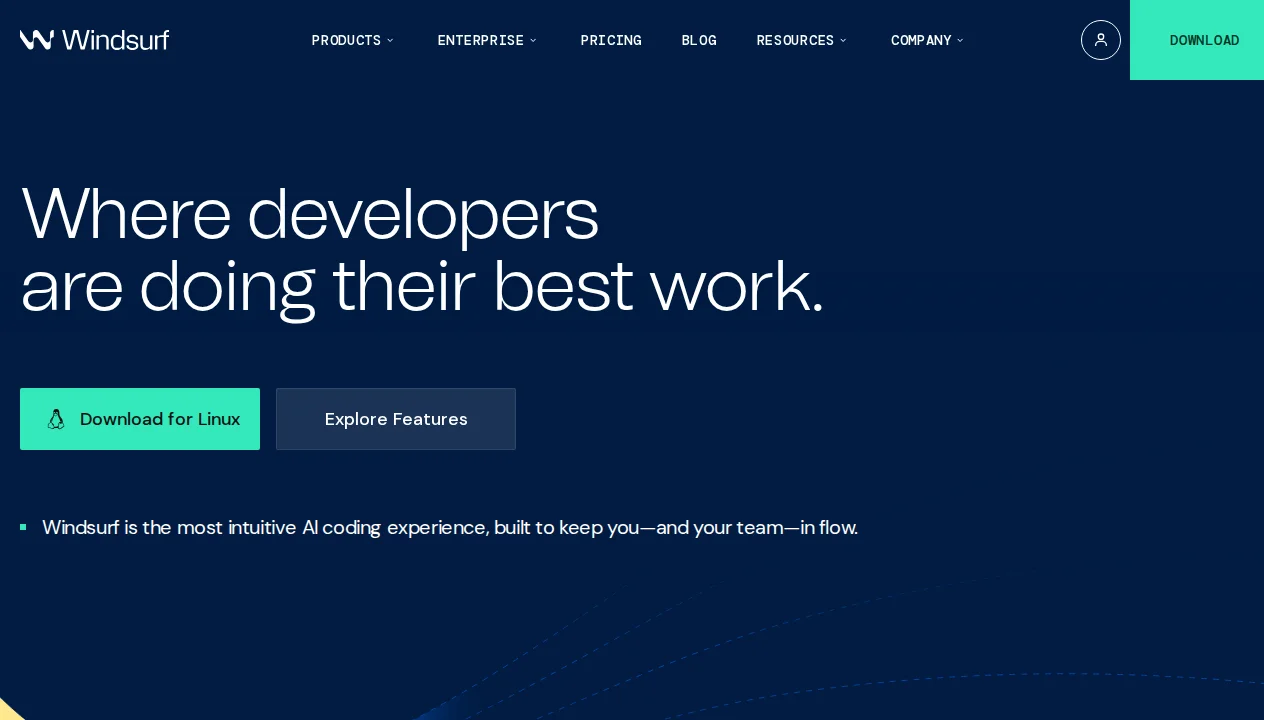
Windsurf is available at windsurf.com. Download, install, and launch — and like Cursor, you'll be prompted to import your existing VS Code settings on first run. Extensions, themes, keybindings, and workspace preferences all carry over cleanly. In my experience, the whole import process takes under two minutes.
You can sign up with GitHub, Google, or email. The free plan activates immediately with no credit card required. Once you're in, the interface feels deeply familiar if you've used VS Code: same file tree, same editor panels, same terminal — with a Cascade chat panel alongside. For developers worried about tool-switching costs, the VS Code compatibility is Windsurf's best onboarding asset.
Key Features in Depth
Cascade: The Agentic AI Partner
Cascade is Windsurf's defining feature and the reason it outranks its competitors in beginner-friendliness surveys. It's not simply a chat interface with code generation — it's an AI system that maintains a model of your entire codebase, proposes multi-file edits in a coordinated plan, and can run terminal commands as part of a task. When you ask Cascade to "add dark mode support," it doesn't just write a few CSS variables — it traces every component that needs updating, generates the changes across all of them, and applies them as a coherent diff you can review and accept.
What makes Cascade feel different from similar features in competing tools is its explanatory style. Rather than silently generating code, Cascade narrates its reasoning as it works. It tells you what it found, why it's making a particular change, and what it expects the result to be. For developers still building intuition for how AI agents think, this transparency is genuinely educational. You learn patterns by watching Cascade operate, not just by accepting its output.
In my hands-on testing, I gave Cascade a realistic task: integrate a third-party payment API into an existing checkout flow, handle error states, update the relevant TypeScript types, and add a basic test. Tasks like this typically take me 60–90 minutes working alone. Cascade completed a solid first pass in roughly 8 minutes. The output needed one correction (a missed null check in the error handler) but was otherwise production-quality. The explanatory narration made it easy to spot the gap without reading every line of generated code from scratch.
Memories: Persistent Context Across Sessions
Memories is one of Windsurf's most distinctive capabilities and arguably its biggest UX differentiator from Cursor. When Cascade learns something about your project — a coding convention you use, a preference you've expressed, a pattern in how your team names things — it stores that as a Memory that persists across every session. Future Cascade interactions are automatically informed by these memories without you needing to re-explain your context.
In practice, this means a codebase you've worked in for a month feels substantially more "known" to Windsurf than to tools that start cold with each session. Cascade will know you prefer TypeScript strict mode, that you use a particular folder structure, and that you name your API route handlers a certain way. This isn't magic — it's the AI system acting like a colleague who has been on the project, rather than a contractor who just arrived.
You can view, edit, and delete memories from the Windsurf settings panel, which gives you full control over what the AI retains. This matters from a privacy standpoint: proprietary details you don't want persisted can be removed immediately.
SWE-1.5: Windsurf's Proprietary Coding Model
With the Pro plan, Windsurf gives you access to SWE-1.5, a proprietary model developed specifically for software engineering tasks. Windsurf claims it outperforms general-purpose frontier models on real-world coding benchmarks (not just academic ones), particularly on multi-file refactoring and debugging tasks. In my own testing, SWE-1.5 felt snappier than comparable Claude or GPT responses for most coding tasks, with a slightly higher rate of getting complex TypeScript generics right on the first try.
That said, Windsurf also supports third-party frontier models on the Pro plan for tasks where a general-purpose model is preferable — Claude for nuanced explanation, GPT for creative generation, and so on. The model flexibility isn't as prominent in Windsurf's UI as it is in Cursor, but it is available. The Fast Context technology on the Pro plan also compresses and manages context more aggressively, enabling Cascade to handle larger codebases without hitting token limits as quickly.
Tab Completions, Previews, and Deploys
Windsurf's inline tab completions are available on all plans, including the free tier, with no artificial usage limits. This is more generous than most competitors and makes the free plan genuinely useful for daily coding rather than just a trial. The completions are context-aware — they understand the surrounding function, imported modules, and patterns in the current file — and feel on par with Cursor's Tab in my side-by-side testing.
Previews give you a live view of UI changes as Cascade applies them, letting you validate visual output without switching to a browser. This is particularly useful for frontend work where the difference between a working and broken component is immediately visible. Deploys, available at higher plan tiers, let you push changes to a live environment directly from Windsurf — a convenience feature more relevant for solo builders and indie developers than for teams with existing CI/CD pipelines.
Pricing Breakdown

Windsurf's pricing is competitive with the broader market, particularly given the generosity of the free tier:
| Plan | Price | AI Requests | Key Features | Best For |
|---|---|---|---|---|
| Free | $0 | Limited (light usage) | Unlimited tab completions, inline edits, limited model availability | Students, casual users |
| Pro | $20/mo | Standard (refreshes daily/weekly) | All premium models, Fast Context, SWE-1.5, Previews | Individual developers |
| Max | $200/mo | Heavy usage | Everything in Pro, unlimited Deploys | Power users, heavy agents |
| Teams | $40/user/mo | Standard per seat | Admin dashboard, analytics, SSO, RBAC, Knowledge base | Engineering teams |
| Enterprise | Custom | Unlimited | Custom compliance, priority support, dedicated infrastructure | Large organizations |
The free tier's unlimited tab completions set Windsurf apart at the bottom of the market. Most competitors either cap free completions or require a paid plan for meaningful autocomplete use. For developers evaluating tools, this means you can use Windsurf's core completion feature indefinitely without commitment — and upgrade to Pro only if you want Cascade's full agentic power and premium models. Our guide on free vs paid AI coding agents can help you work out whether the Pro upgrade makes sense for your workflow.
Windsurf vs The Competition
Windsurf vs Cursor: This is the matchup most developers want to understand. At the same $20/month Pro price, both tools offer agentic multi-file editing. Cursor has the edge on Composer 2's maturity and raw power, multi-model flexibility (GPT-5.4, Claude Opus 4.6, Gemini 3 Pro simultaneously), and community resources. Windsurf counters with better beginner experience, Memories for persistent context, and arguably more transparent agent narration. If you're experienced and want maximum control, Cursor. If you're newer to AI-assisted coding or value a guided workflow, Windsurf. See our full Cursor vs Windsurf comparison for the detailed breakdown, or our three-way comparison with GitHub Copilot.
Windsurf vs GitHub Copilot: GitHub Copilot at $10/month is half the price of Windsurf Pro and deeply embedded in GitHub's workflow. But it remains primarily an autocomplete extension with a bolted-on chat feature — it lacks Cascade's deep codebase understanding, Memories, and the guided agentic experience. For GitHub-heavy teams where native pull request integration matters, Copilot's ecosystem fit may outweigh Windsurf's AI depth. For standalone AI coding capability, Windsurf is the stronger product.
Windsurf vs Claude Code: Claude Code is a terminal-based agentic tool from Anthropic — powerful, highly capable, and a favorite of experienced developers who prefer CLI-first workflows. Windsurf is a full IDE with a GUI. The two tools serve different preferences and aren't direct competitors for most users. If you want an IDE with a visual interface, Windsurf. If you live in the terminal and want maximum model quality, Claude Code.
If you're still weighing options, our guide on how to choose an AI coding agent provides a practical decision framework based on experience level, workflow, and budget.
Who Should Use Windsurf?
Beginners and students: Windsurf is the single strongest recommendation for developers new to AI-assisted coding. The free tier's unlimited tab completions let you build a feel for AI autocomplete without commitment. Cascade's narrated reasoning teaches you how to work with AI agents, rather than just delegating to them blindly. Student pricing on Pro makes the full feature set accessible at low cost.
Developers transitioning from VS Code: If you're currently using VS Code with Copilot or another extension and want to try a native AI IDE with minimal friction, Windsurf has the smoothest migration path. Your settings import in two minutes and the interface is effectively identical. You're adding AI capability, not learning a new environment.
Solo builders and indie developers: The Previews and Deploys features are targeted at this audience specifically. If you're building and shipping on your own, having an AI that understands your whole codebase, remembers your preferences, and can push a deploy without leaving the editor is a genuine productivity multiplier.
Teams considering AI tooling: The Teams plan at $40/user/month is competitive with Cursor Teams. The Knowledge base feature — which lets teams share project context across the whole team's Cascade instances — is a differentiator worth evaluating. It addresses a real pain point: every developer in a team building up their own private AI context that nobody else benefits from.
What We Don't Like
Cognition AI ownership uncertainty: The most significant concern with Windsurf today is the strategic direction following the Cognition AI acquisition. Cognition is also building Devin, an autonomous software engineer product that competes in an adjacent space. Whether Windsurf will receive continued investment, how its feature roadmap aligns with Cognition's priorities, and what happens to pricing under new ownership are all legitimate open questions. This isn't a reason to avoid Windsurf, but it's a reason to monitor it — and not to bet your entire team's workflow on it without a contingency plan.
Smaller community than Cursor: Windsurf has a vibrant and growing community, but it's measurably smaller than Cursor's in terms of tutorials, third-party resources, community plugins, and forum activity. When you run into an unusual problem, you're more likely to find a solved answer in Cursor's community than Windsurf's. This gap is narrowing but it's real.
Free tier limits in practice: While the free tier's unlimited tab completions are genuinely useful, the Cascade request limit on the free plan is quite tight. In my testing, it was easy to exhaust the free Cascade allowance in a few hours of active work. The free plan is great for trying Windsurf, but it's not a realistic option for daily professional use of the agentic features — you'll need Pro.
Agent mode less mature than Cursor Composer 2: Cascade is excellent for beginners and genuinely strong on medium-complexity tasks. But on highly complex, long-horizon tasks — large-scale refactors, adding features that touch dozens of files, multi-step architectural changes — Cursor's Composer 2 demonstrates better reliability and error recovery in my testing. This gap has been closing with each Windsurf release, but Cursor still has the edge at the high end.
Less multi-model flexibility: Cursor makes model selection a front-and-center feature, letting you choose per-task from a wide menu. Windsurf's model flexibility is present but less emphasized — the interface nudges you toward SWE-1.5 and Cascade's built-in defaults. For developers who want fine-grained control over which model handles which task, this is a limitation.
Our Verdict
After thorough testing across a range of projects and experience levels, Windsurf earns a 4.5/5 from us. It is the best AI code editor for developers who are new to agentic coding and the most beginner-friendly option in a market that can feel overwhelming to navigate.
Cascade's combination of deep codebase understanding, persistent Memories, and narrated reasoning creates an AI development experience that teaches as much as it assists. The free tier's unlimited tab completions set a high bar for what a no-commitment plan should include. And the $20/month Pro plan matches Cursor on price while offering a fundamentally different — and in some ways more approachable — take on agentic coding.
The points against it are real but manageable: the Cognition AI acquisition introduces strategic uncertainty, the community is smaller than Cursor's, and Composer 2 still has the edge on complex long-horizon agent tasks. These are watch items, not dealbreakers.
The bottom line: If you're new to AI-assisted coding, start with Windsurf. Its guided, explanatory approach will build your AI-coding intuition faster than tools that simply execute silently. If you're an experienced developer who wants the most powerful agentic tool on the market, Cursor is the stronger choice. For most developers in between — and especially those building in VS Code today — Windsurf Pro at $20/month is a genuinely excellent value.
Pros & Cons
Pros
- Generous free tier with unlimited completions
- Cascade agent can handle complex multi-file tasks
- Fast autocomplete with low latency
- Strong privacy protections (no training on your code)
- Good value compared to competitors
Cons
- Smaller user base than Cursor/Copilot
- IDE still in active development (occasional bugs)
- Limited model selection
- Documentation could be more comprehensive
Our Ratings
How Windsurf (Codeium) Compares
Not sure Windsurf (Codeium) is right for you? See how it stacks up against alternatives.
Verdict
Windsurf (Codeium) earns a strong 4.5/5 in our testing. It is a solid choice for developers wanting powerful ai coding with a generous free tier, offering a good balance of features and accessibility.
With a free tier available, there is very little risk in trying it out. If you are evaluating AI coding agents, Windsurf (Codeium) deserves serious consideration.
Frequently Asked Questions
Is Windsurf free to use?
How does Windsurf compare to Cursor?
What is Cascade in Windsurf?
Is Windsurf owned by Cognition AI?
Can I use VS Code extensions in Windsurf?
Sources & References
- Windsurf Official Website· Official product page and documentation
- Taskade — Windsurf Review 2026· Independent third-party review with pros and cons
- NxCode — Windsurf AI Review 2026: Best IDE for Beginners· In-depth analysis of Windsurf's beginner-friendly features
- Hackceleration — Windsurf Review· Hands-on review covering Cascade and Memories in practice
- PinkLime — Windsurf / Codeium Review 2026· Review covering the Codeium-to-Windsurf rebrand and pricing changes

Written by Marvin Smit
Marvin is a developer and the founder of ZeroToAIAgents. He tests AI coding agents daily across real-world projects and shares honest, hands-on reviews to help developers find the right tools.
Learn more about our testing methodology →Related AI Agents
Claude Code
Anthropic's official CLI coding agent with deep codebase understanding and autonomous task execution.
Read Review → →Cursor
AI-first code editor built on VS Code with intelligent autocomplete and chat-based editing.
Read Review → →GitHub Copilot
GitHub's AI pair programmer with real-time code suggestions and chat assistance.
Read Review → →