Zapier AI (Central) Review 2026
AI-powered automation platform that lets you create workflows using natural language commands.
Best for: Non-technical users wanting AI automation across many apps
Key Takeaways
- Zapier connects 8,000+ apps — the largest integration library of any automation platform, making it the default choice for breadth
- Zapier Agents (2025–2026) are autonomous AI agents that can reason, use web search, and take multi-step actions across connected apps
- Canvas enables visual workflow design with conditional logic, a significant upgrade from Zapier's historically linear Zap model
- Tables and Forms are included at no extra cost on all plans — providing lightweight database and data collection without third-party tools
- AI Agents are billed separately from traditional Zap task usage, requiring careful cost planning for teams using both products
What Is Zapier?
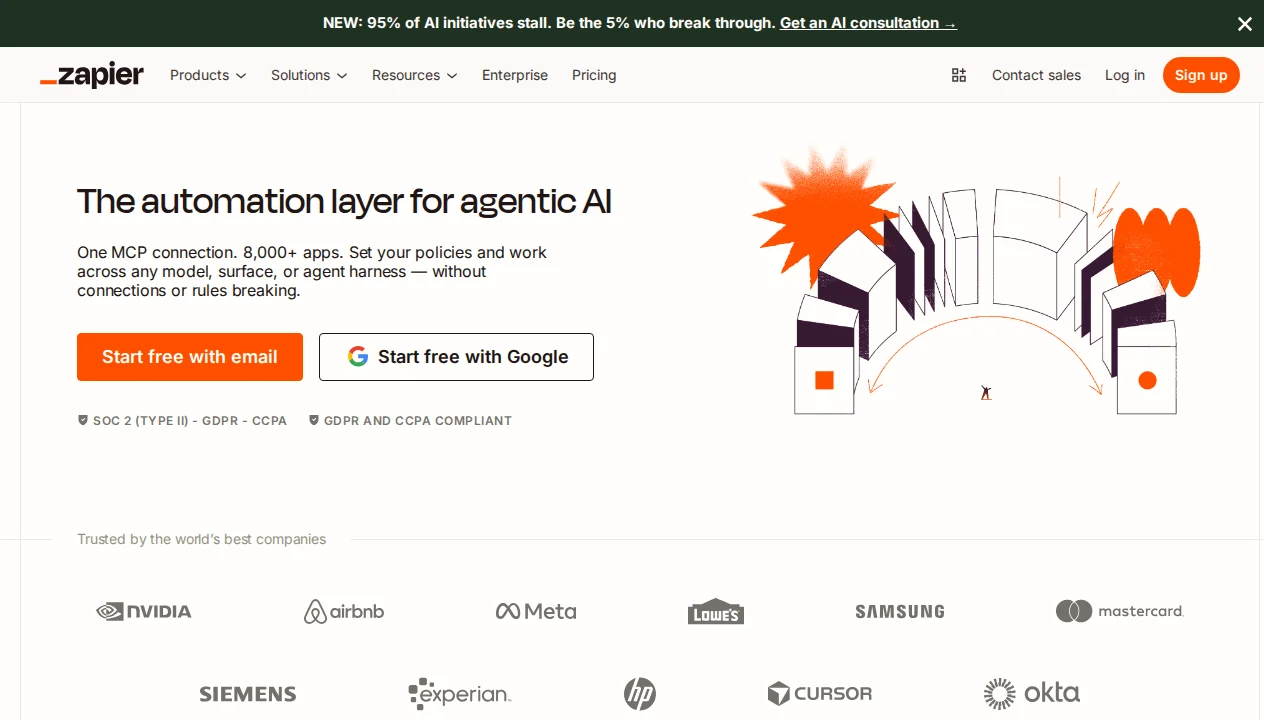
Zapier is the world's largest no-code automation platform, connecting over 8,000 apps through a combination of trigger-action "Zaps," visual workflow design in Canvas, and — as of 2025–2026 — autonomous AI Agents that can reason, plan, and execute multi-step tasks without human guidance at each step. Founded in 2011, Zapier's core strength has always been integration breadth: if you use two apps and want them to talk to each other, there is almost certainly a Zapier integration for both.
The platform has evolved significantly from its origins as a simple "if this, then that" connector. Canvas brings visual workflow design with conditional branching and parallel paths. Zapier Agents introduce autonomous AI that can reason about incomplete information, use live web search, and choose which actions to take based on context. Tables provides a built-in lightweight database. Forms offers no-code data collection. In 2026, Zapier is effectively a platform of products rather than a single tool — and that breadth is both its strength and source of complexity. If you're new to AI automation, our guide on what AI agents actually are provides useful context before diving into platform specifics.
Getting Started
Signing up at zapier.com is straightforward — email or Google SSO, no credit card required for the free plan. Zapier's onboarding is one of the best in the automation category: it identifies your role, asks which apps you use, and suggests relevant Zap templates immediately. For new users, the guided template library is an excellent entry point — there are tens of thousands of pre-built Zaps for common use cases that can be deployed with two clicks and minor credential setup.
The traditional Zap builder remains the fastest path to a working automation: select a trigger app and event, connect credentials, test the trigger, add one or more action steps, and turn the Zap on. For linear workflows (new Gmail email → create Notion page → send Slack notification), Zapier's Zap editor is unmatched for speed of setup. A working three-step automation typically takes under five minutes for someone familiar with the apps involved.
Key Features in Depth
Traditional Zaps: The Foundation
The core Zap model — trigger → action(s) — remains the backbone of most Zapier usage. Its strength is simplicity and reliability. Zapier's trigger coverage across 8,000+ apps is unmatched: whether you need to trigger on a new Shopify order, a new row in Airtable, a webhook from a custom application, or a specific Slack message, Zapier almost certainly has a trigger for it.
Zaps support multiple sequential action steps, conditional paths (Zapier's "Paths" feature), and Formatter operations for data transformation (date formatting, text manipulation, number math, currency conversion). For teams with straightforward trigger-action needs, Zaps provide everything required and are significantly simpler to maintain than canvas-based alternatives.
The limitation is linearity. Traditional Zaps are fundamentally sequential: step 1, then step 2, then step 3. Complex branching, iteration over arrays, or looping logic requires Zapier's "Looping" and "Paths" features, which work but are more cumbersome than the visual equivalents in Make or n8n. Teams with genuinely complex data transformation needs often find Make's canvas model more appropriate than Zapier's step-based model.
Canvas: Visual Workflow Design
Canvas is Zapier's response to the visual workflow builders pioneered by Make and n8n. It provides a drag-and-drop canvas where workflow steps are nodes connected by edges — enabling parallel paths, conditional branching, and a visual representation of complex automation logic. Canvas launched in 2024 and has matured significantly in the intervening two years.
In my testing, Canvas is genuinely useful for workflows that benefit from visual structure — particularly multi-branch decision trees where you want to see all paths simultaneously. A customer onboarding workflow with branches for different plan types, each with different action sequences, is far easier to understand in Canvas than as nested Paths in a traditional Zap. The visual representation also makes team documentation and handoff significantly easier.
Canvas uses the same 8,000+ app integrations as traditional Zaps and shares the same step-based underlying model — the visual layer adds representation and navigation but doesn't change the fundamental execution model. For pure visual power, Make still has an edge, but Canvas closes the gap meaningfully.
Zapier Agents: Autonomous AI
Zapier Agents, launched in 2025 and significantly expanded in 2026, are the most architecturally interesting addition to the Zapier platform. Unlike traditional Zaps (which execute a fixed, predetermined sequence of steps), Agents use an LLM to reason about a goal and decide which actions to take at each step.
An Agent is configured with a role (a system prompt defining what it does and how it behaves), a set of Actions it can perform (drawn from the same 8,000+ integration library), knowledge sources (documents, URLs, or connected data tables it can reference), and trigger conditions (how it gets activated). When triggered, the Agent reasons about the incoming context, decides which Actions to call and in what order, and executes them autonomously.
The web search capability is a meaningful differentiator: Zapier Agents can search the live web as part of their reasoning, enabling up-to-date information retrieval that traditional Zaps (which connect to static data sources) cannot match. An agent that responds to a new lead by researching their company, finding recent news, and drafting a personalized outreach email is a production-ready workflow that I've seen teams deploy successfully.
MCP Support
Zapier added MCP (Model Context Protocol) support in 2025, enabling AI systems like Claude, GPT-4o, and Gemini to interact with Zapier-connected apps via natural language. This means you can connect your AI coding assistant (like Cursor) or a standalone Claude session to Zapier's integration library, allowing AI tools to trigger automations, read data from connected apps, and execute actions across your tech stack — bridging the gap between AI reasoning environments and business application automation. Our guide on how AI agents work covers MCP in more detail.
Tables and Forms
Tables is Zapier's built-in lightweight database — a spreadsheet-like interface where automation data can be stored, read, and updated by Zaps and Agents. It's not a replacement for a real database (no relational joins, limited query capabilities), but for teams that need a simple persistent store for automation state — tracking which leads have been processed, accumulating data across multiple Zap executions, maintaining a list for deduplication — Tables eliminates the need for an external Airtable or Google Sheets step.
Forms is a simple no-code form builder whose submissions can trigger Zaps directly. For teams that collect data through forms (contact requests, intake forms, registration) and want to automate downstream processing without building a form-to-webhook integration, Forms removes a step from the setup process. Both Tables and Forms are included at no extra cost on all Zapier plans, which represents meaningful value compared to the standalone alternatives.
AI Agents Pricing: A Separate Product
One important complexity in Zapier's 2026 pricing structure: Zapier Agents are billed separately from traditional Zap task usage. Traditional Zap tasks and Agent "runs" use different credit pools, and many teams have been caught off-guard by Agent credits depleting independently of their Zap task balance. Before deploying Zapier Agents at scale, model your expected Agent run volume against the Agent-specific pricing to avoid mid-month surprises.
Pricing Breakdown
| Plan | Price | Tasks/mo | Key Features | Best For |
|---|---|---|---|---|
| Free | Free | 100 | 5 Zaps, Zap history 7 days | Personal use and evaluation |
| Professional | $19.99/mo | 750 | Unlimited Zaps, Paths, custom logic, Zapier Agents | Individual power users and freelancers |
| Team | $69/mo | 2,000 | Shared workspaces, SSO, team management | Small to mid-size teams |
| Enterprise | Custom | Custom | Advanced security, audit logs, SCIM, dedicated support, SLA | Large organizations with compliance requirements |
Note: Zapier AI Agent usage is billed separately from task-based Zap usage on all plans. The exact Agent billing model varies by plan — refer to Zapier's official pricing page for current Agent credit details, as this is an area of active pricing evolution in 2026.
Zapier vs The Competition
Zapier vs Make: This is the most important comparison for most teams evaluating automation platforms. Zapier wins on integration breadth (8,000+ vs Make's 3,000+), ease of use for simple automations, and brand recognition. Make wins on complex workflow logic, operations-based pricing economics at scale, and visual canvas power. For teams that need broad integration coverage with simple linear workflows, Zapier. For teams with complex data transformation needs, our Make review covers the stronger choice in that scenario.
Zapier vs n8n: n8n is the open-source, self-hosted alternative. For teams with DevOps resources and high automation volumes, n8n's self-hosted model eliminates per-task pricing. Zapier's advantage is the managed SaaS model (no infrastructure to maintain), the larger integration library, and the Agents product. Our n8n AI review covers the comparison in detail.
Zapier vs Relevance AI: Relevance AI's Agent Workforce is a purpose-built GTM automation platform that outperforms Zapier Agents for sales and marketing use cases — specifically because Relevance AI's agents are designed around GTM workflows with pre-built templates and a more mature HITL model. For general automation with AI capabilities across all business functions, Zapier's breadth is the advantage. Our Relevance AI review covers that comparison from the GTM angle.
For a broader framework on selecting automation and AI agent platforms, our guide on how to evaluate AI automation tools applies to the automation category as well as the coding assistant category.
What We Don't Like
Task-based pricing gets expensive at scale: Zapier's task-based pricing model means costs scale linearly with usage volume. Teams running high-volume automations (hundreds of thousands of tasks per month) often find Make's operations-based model significantly cheaper for equivalent workflows. The Professional plan at $19.99/month includes only 750 tasks — for teams with even moderate automation volume, paid task bundles add up quickly.
Agents billing complexity: The separate AI Agent credit pool alongside traditional Zap task credits creates billing complexity. Teams using both Zaps and Agents need to monitor two separate usage pools, and the interaction between them is not always intuitive. A unified billing model would reduce this friction.
Complex workflows are harder than they should be: Despite Canvas, building genuinely complex data transformation workflows — iterating over arrays, aggregating results, complex branching with data merge — is still more cumbersome in Zapier than in Make or n8n. Zapier's Looping feature works, but it's less elegant than Make's Iterator/Aggregator model.
Integration quality variance: With 8,000+ integrations, quality varies considerably. Official Zapier-built integrations are generally excellent; community-contributed integrations can be poorly maintained, miss key events, or break when APIs change. For business-critical workflows, verify that the specific trigger/action combination you need is officially maintained before building on top of it.
AI Agents still maturing: Zapier Agents are a genuinely exciting product but are still in active development. Reliability and consistency are not yet at the level of traditional Zaps. For production AI agent workflows where reliability matters, the current state of Zapier Agents requires more human oversight than the marketing implies.
Our Verdict
Zapier earns a 4.3/5 from us. For breadth of integration coverage and ease of building simple automations quickly, Zapier remains the default recommendation. The 8,000+ integration library means it's almost always the tool that connects two arbitrary apps, and the Zap builder's simplicity means non-technical team members can deploy automations without engineering support.
The AI Agents product is genuinely promising — the combination of LLM reasoning, web search, and access to 8,000+ integrations creates a powerful autonomous automation capability. But the separate billing model, evolving reliability, and the steep per-task pricing at scale are real considerations. Teams with complex data transformation needs or high volumes should evaluate Make alongside Zapier before committing.
The bottom line: If you need broad integration coverage and simplicity above all else, Zapier is the right choice. If you need complex visual workflow logic at better price-per-operation economics, our Make review covers the stronger alternative. For purpose-built GTM AI agent automation, our Relevance AI review is more directly relevant.
Pros & Cons
Pros
- Largest app ecosystem (6,000+ integrations)
- Natural language workflow creation
- Extremely user-friendly
- Strong brand and reliability
- Great for non-technical users
Cons
- Expensive compared to alternatives
- AI features still in beta
- Task limits can be restrictive
- Limited customization
Our Ratings
Verdict
Zapier AI (Central) earns a strong 4.4/5 in our testing. It is a solid choice for non-technical users wanting ai automation across many apps, offering a good balance of features and accessibility.
Starting at $20/month, it is priced competitively for what it offers. If you are evaluating AI no-code builders, Zapier AI (Central) deserves serious consideration.
Frequently Asked Questions
What is the difference between a Zapier Zap and a Zapier Agent?
Is Zapier or Make better for automation?
What does 'task' mean in Zapier's pricing?
Can Zapier Agents use web search?
Does Zapier work with Cursor or other AI coding tools?
Sources & References
- Zapier Official Website· Official product page, app integration library, and documentation
- Hackceleration — Zapier Review· In-depth review of Zapier's automation capabilities and AI Agents
- Lindy.ai — Zapier Pricing Guide· Independent breakdown of Zapier's task-based pricing model
- Cybernews — Zapier Review· Third-party review covering Zapier Agents and traditional automation
- GetAIPerks — Zapier Pricing Guide· Detailed analysis of Zapier's pricing tiers and AI Agent billing

Written by Marvin Smit
Marvin is a developer and the founder of ZeroToAIAgents. He tests AI coding agents daily across real-world projects and shares honest, hands-on reviews to help developers find the right tools.
Learn more about our testing methodology →Related AI Agents
n8n AI
Open-source workflow automation platform with powerful AI agent building capabilities.
Read Review → →Flowise
Open-source drag-and-drop tool for building LLM orchestration flows and chatbots visually.
Read Review → →Relevance AI
No-code platform for building and deploying custom AI agents with tools and memory.
Read Review → →